FocneraGet Focnera
LESS SCROLLING. MORE LIVING.

Life happens
outside the scroll.

A little less distraction. A lot more possibility.
Block distracting apps, take control of your screen time,
and come back to what matters with Focnera.

Download on the App StoreGet it on Google Play
Free to start No account. Just you.
See how it works
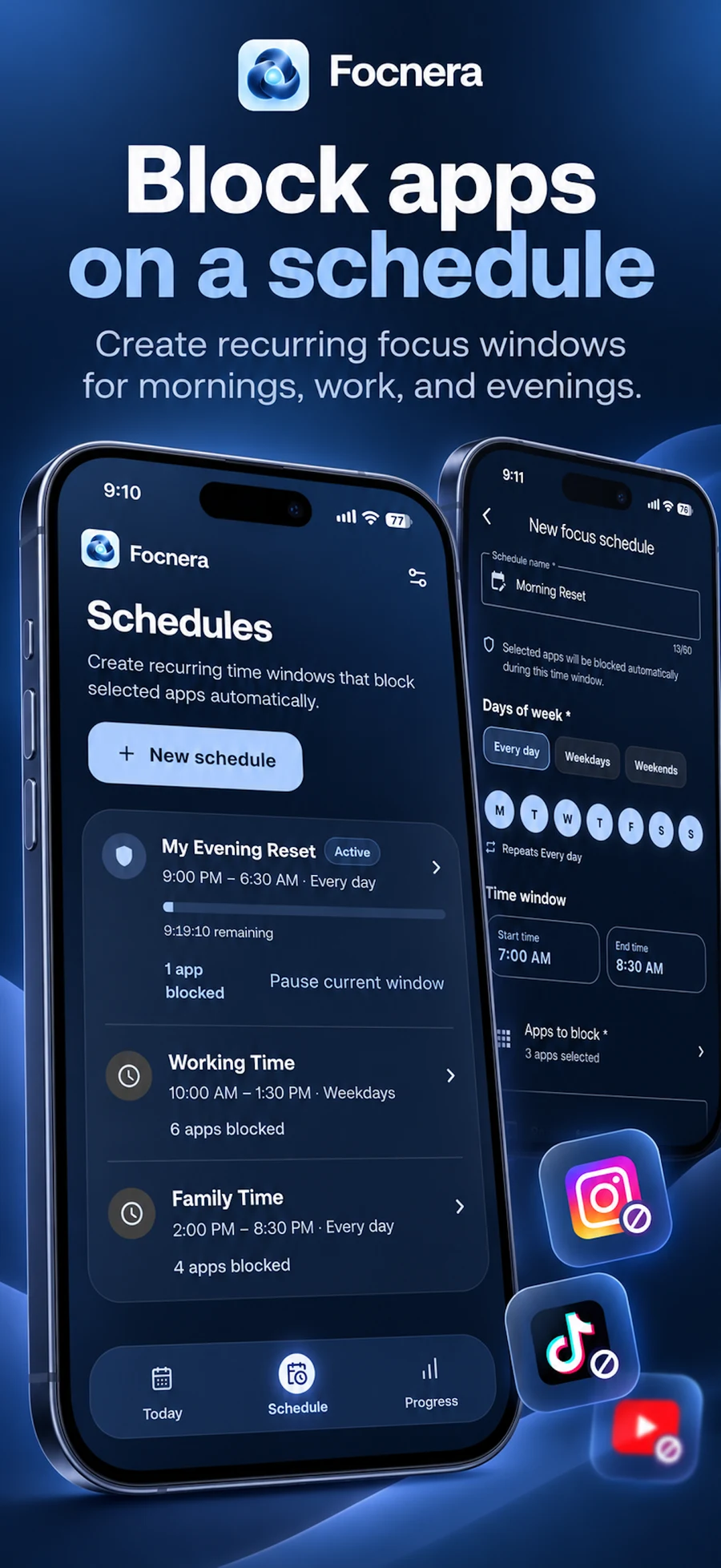
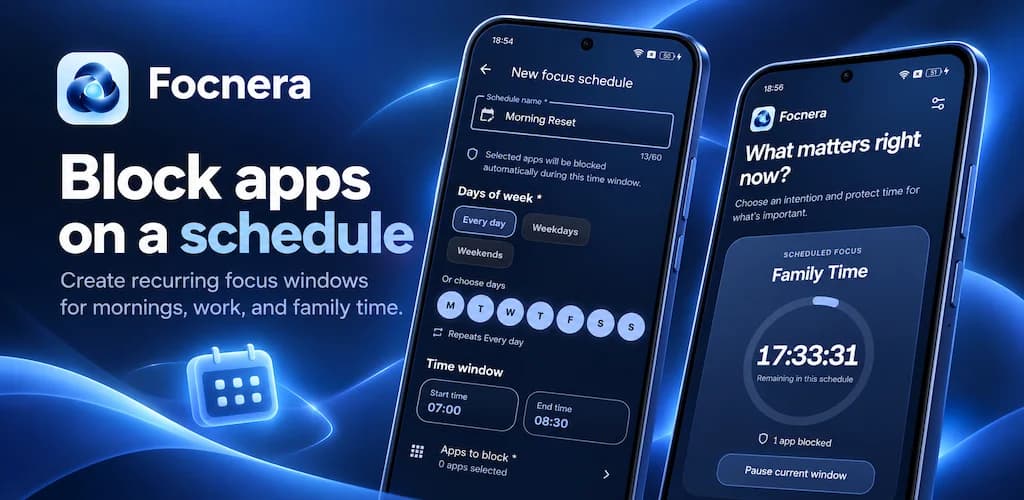
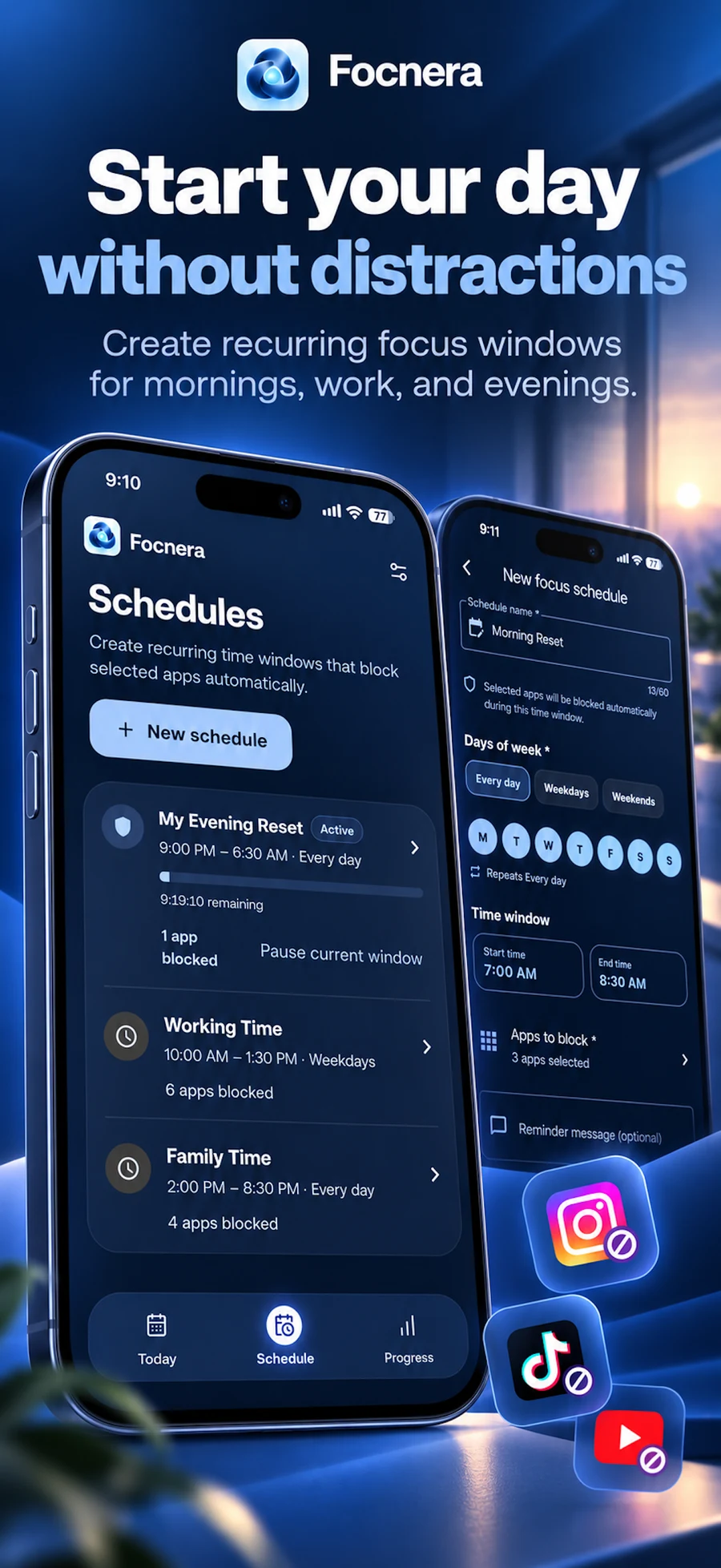
Focnera recurring app-blocking schedules
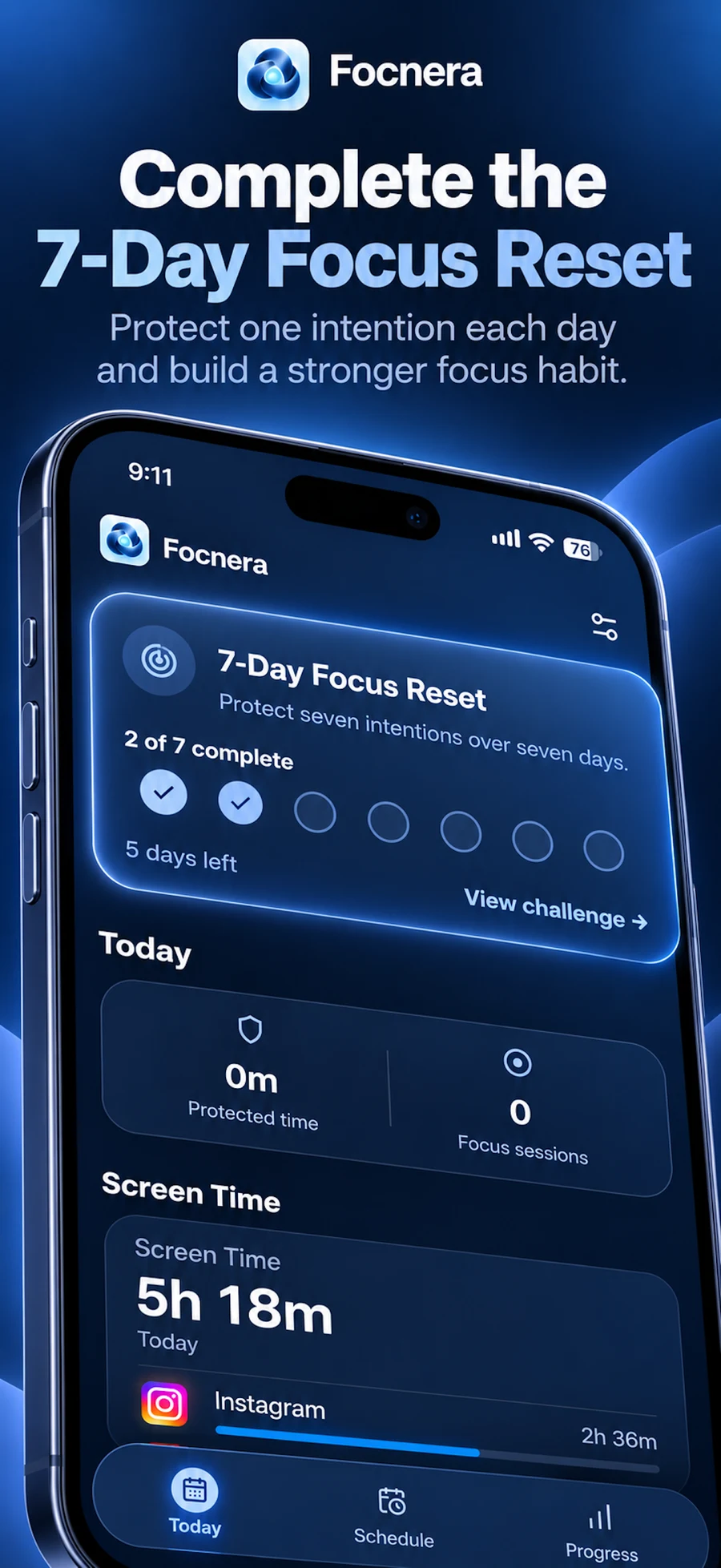
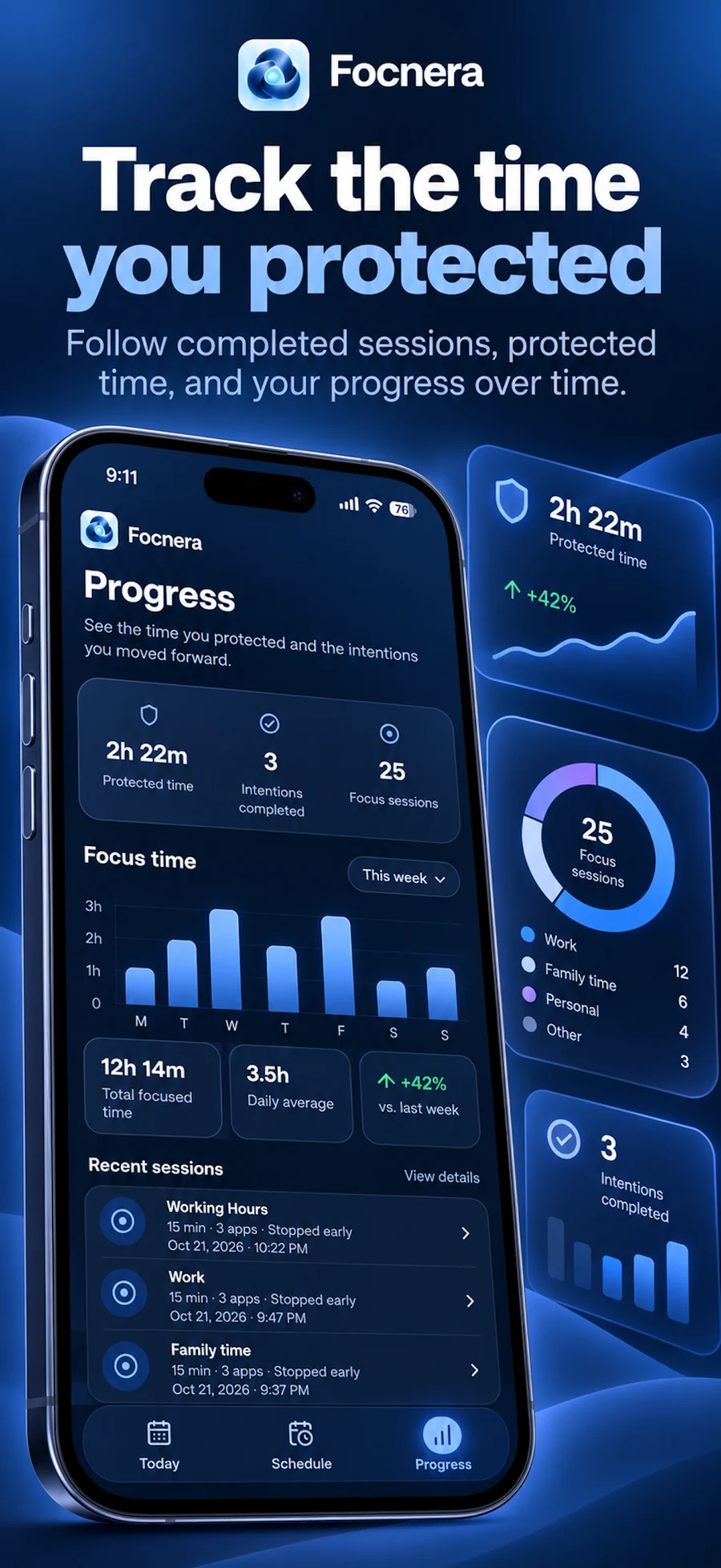
Focnera 7-Day Focus Reset progress overview
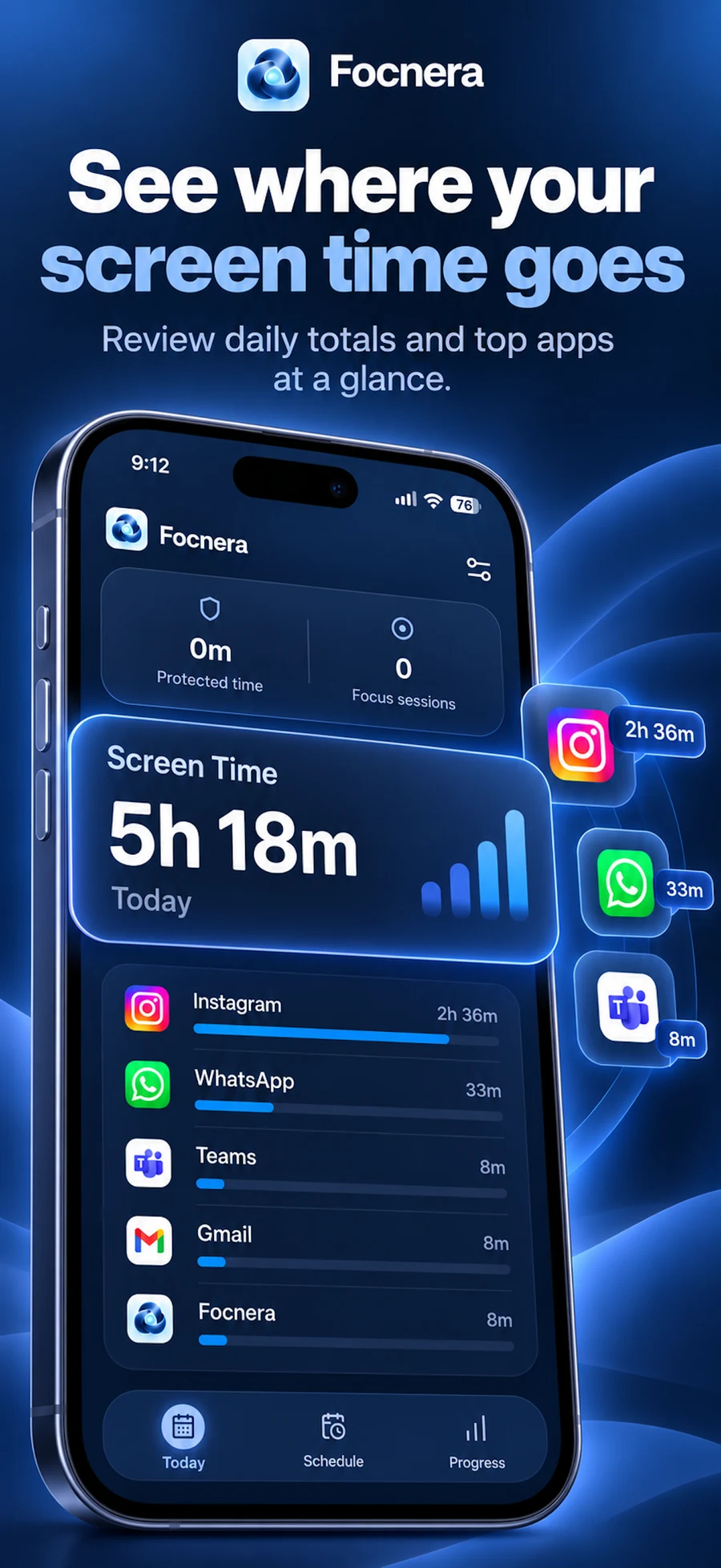
Focnera daily screen time and most-used apps
YOUR ATTENTION IS VALUABLE.GIVE IT SOMEWHERE BETTER TO GO. ↗
Private by design Focus on your terms iOS & Android Works offline
01 / OUR VISION

Your phone is a tool.
Your life is the point.

One quick check becomes another. A spare minute becomes an hour. We believe your attention deserves a better home.

Focnera makes intentional technology use feel simple, calm, and achievable. Set a boundary with the apps competing for your time, and make space for the work, people, and experiences you care about.

Make space for focus
A LITTLE BOUNDARY. A BIG DIFFERENCE.

Less friction.
More focus.

A seven-day reset to build momentum. Schedules that protect your routine.
Plus the everyday tools to make focus feel simpler.

7-DAY FOCUS EVENT

Seven moments.
A more focused week.

Give your intentions a little momentum with the 7-Day Focus Reset. Complete seven focus sessions within your seven-day window and watch your progress build.

Glowing shield above a lake, framed by seven focus milestones
  • Track completed sessions and protected minutes.
  • See which intentions you marked done.
  • Multiple sessions can count on the same day; sessions ended early do not count.
Start your focus reset
RECURRING FOCUS SCHEDULES

Plan it once.
Make room, regularly.

Turn your good intentions into a recurring routine. Choose the apps, days, and start and end times. Focnera automatically blocks your selected apps during each scheduled window.

Focnera recurring schedules for morning focus, family time, and evenings
  • Choose weekdays, weekends, or your own days.
  • Set daytime or overnight focus windows.
  • Pause the current window when plans change. Other active protections still apply.
Build your focus routine
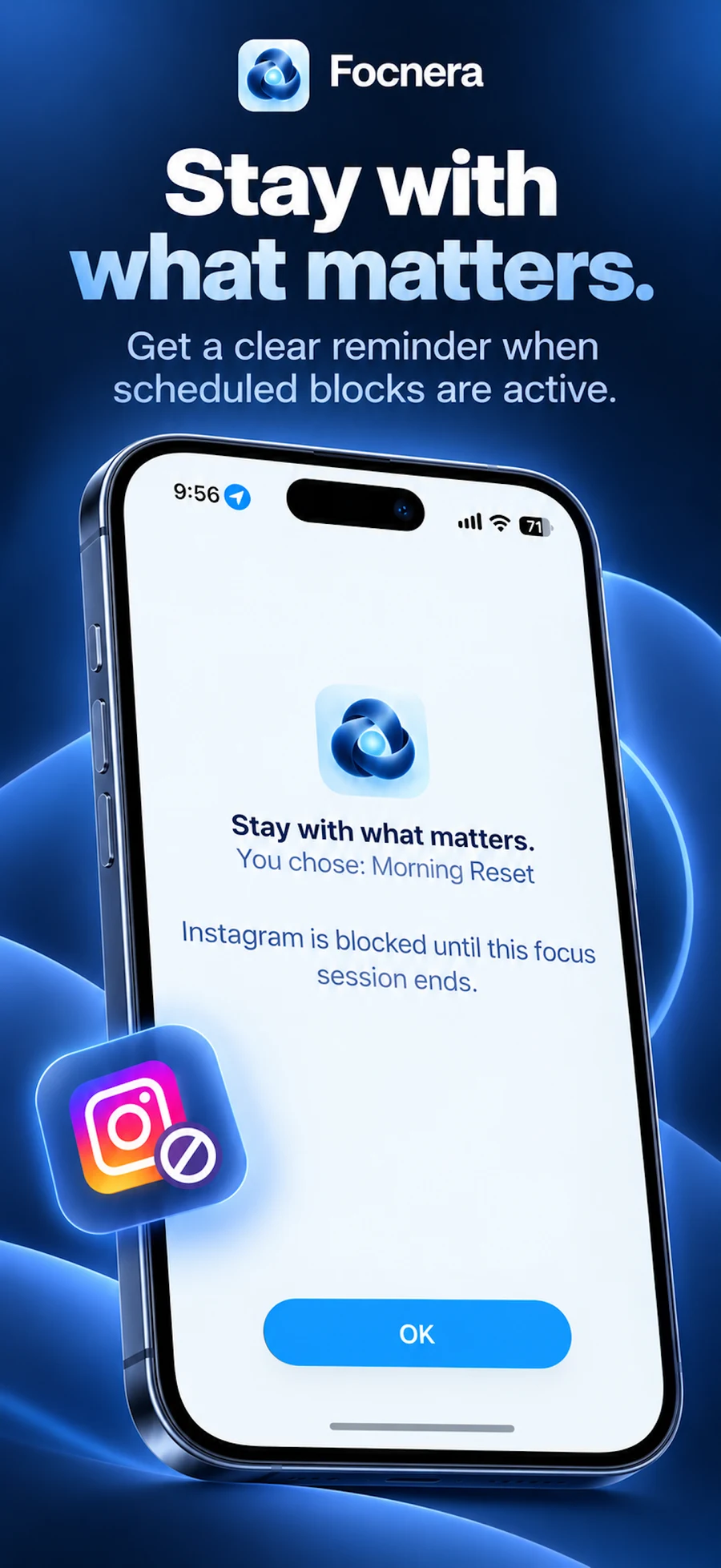
Instagram protected by Focnera during a focus session
APP BLOCKING

Quiet the noise.

Block distracting apps and social media for a while. Keep your attention on the thing you chose to do.

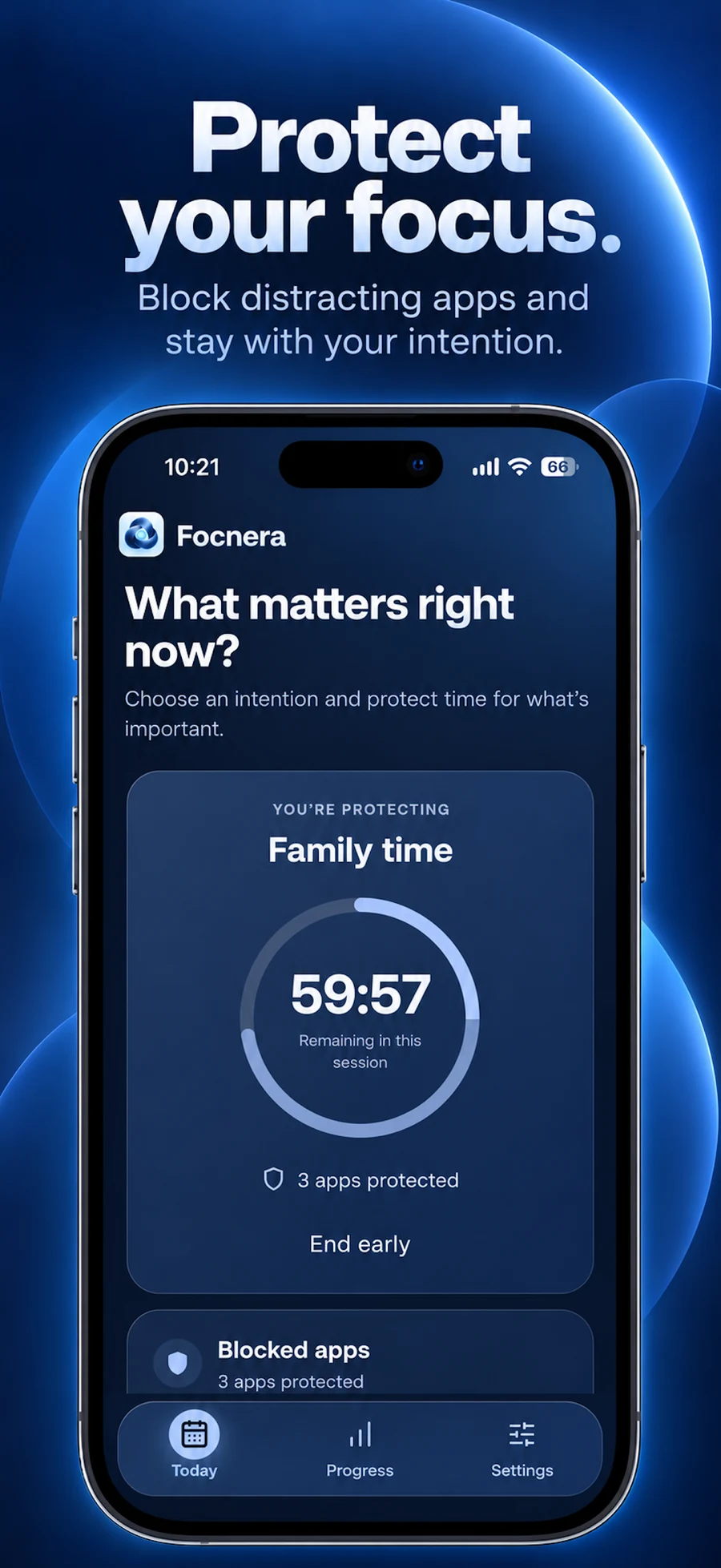
Active focus timer and selected blocked apps
FLEXIBLE FOCUS TIMER

Find your flow.

A quick study sprint or a stretch of deep work. Choose your duration and see your remaining focus time at a glance.

Daily screen-time insights across apps
SCREEN-TIME INSIGHTS

See the bigger picture.

Understand your daily app usage. Review your focus history and build day streaks that keep you moving forward.

Protection that stays with you

Native device capabilities handle app blocking, even when Focnera isn’t open.

An automatic return

Your selected apps become available again when your focus session ends.

Focus in your own language

English, Hindi, Spanish, German, French, Brazilian Portuguese, and Japanese.

Big ideas. Any screen.

Available for iPhone, iPad, Android phones, and Android tablets.

Focnera screen-time overview showing daily usage and time spent in individual apps
Illustrative app screen. Your usage will vary.
UNDERSTAND YOUR SCREEN TIME

Where does
your time go?

A quick check. A few more videos. Another scroll. See your daily screen time and the apps taking up your attention, then decide what deserves more of it.

  1. 01

    See the pattern.

    Look at your daily total and time spent in each app. Which moments were useful, and which went on longer than you intended?

  2. 02

    Choose what matters.

    Pick one thing you want more time for: studying, creating, a conversation, or simply a quieter morning.

  3. 03

    Turn awareness into action.

    Pause distracting apps with a focus session, or create a recurring schedule to protect that time regularly.

Your usage information stays on your device.

Make sense of your screen time
HOW IT WORKS

Your next
focused moment
starts here.

No complicated routines. No new account.
Just a simple intention, followed through.

Start focusing
Focnera schedule setup with selected days and time windows
  1. 01

    Give focus a little permission.

    Allow Focnera to use your device’s native app-protection capabilities.

  2. 02

    Choose what can wait.

    Select the social apps, games, or other distractions you want to pause.

  3. 03

    Make a little time.

    Pick a suggested duration or set a custom focus session that fits your day.

  4. 04

    Go do your thing.

    Start your session. Focnera restricts your selected apps and shows the time remaining.

  5. 05

    Come back on your terms.

    When your session ends, access is restored automatically. No extra steps.

Focnera dashboard with focus sessions and screen-time information
PRIVATE BY DESIGN. ALWAYS.

Your focus is personal.
Your data should be too.

Your selected apps, preferences, focus sessions, and usage information stay on your device. A calmer relationship with your phone shouldn’t cost you your privacy.

No account requiredNo cloud syncNo advertisingNo behavioral analyticsNo sale of personal dataNo remote database

Core focus features work offline. Your device asks for app-protection and screen-time permissions; Focnera uses them to provide the features you choose.

Read our privacy policy
MORE TIME FOR YOUR KIND OF LIFE

What will you
make room for?

For students, professionals, creators, and anyone
who wants a calmer relationship with their phone.

Focnera progress overview and recent focus sessions
DEEPER WORK

Your ideas.
Uninterrupted.

Write, design, study, code, and create with more room to think.

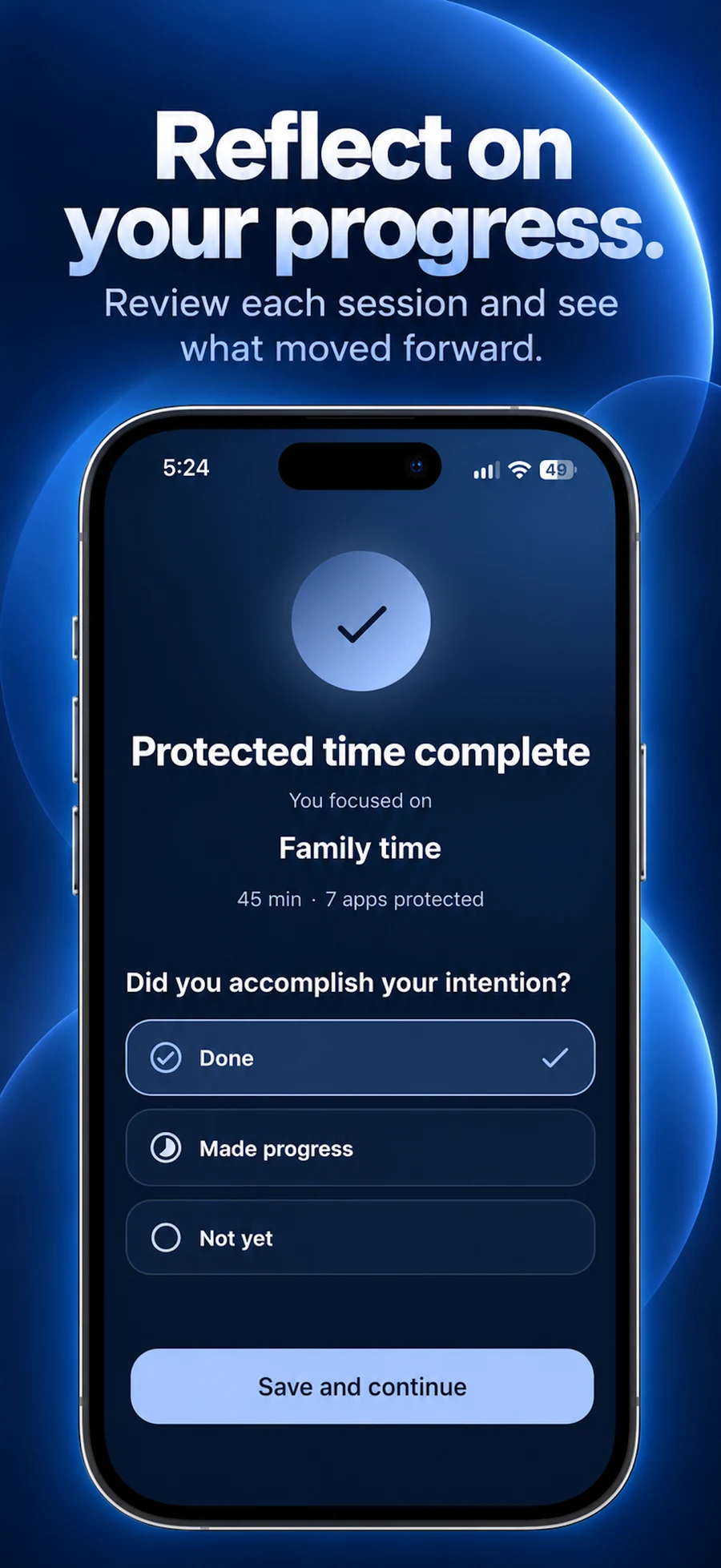
Focnera reflection screen for recording progress after a session
BETTER DIGITAL HABITS

A little intention.
Every day.

Pause automatic app checking. Turn focused moments into a consistent routine.

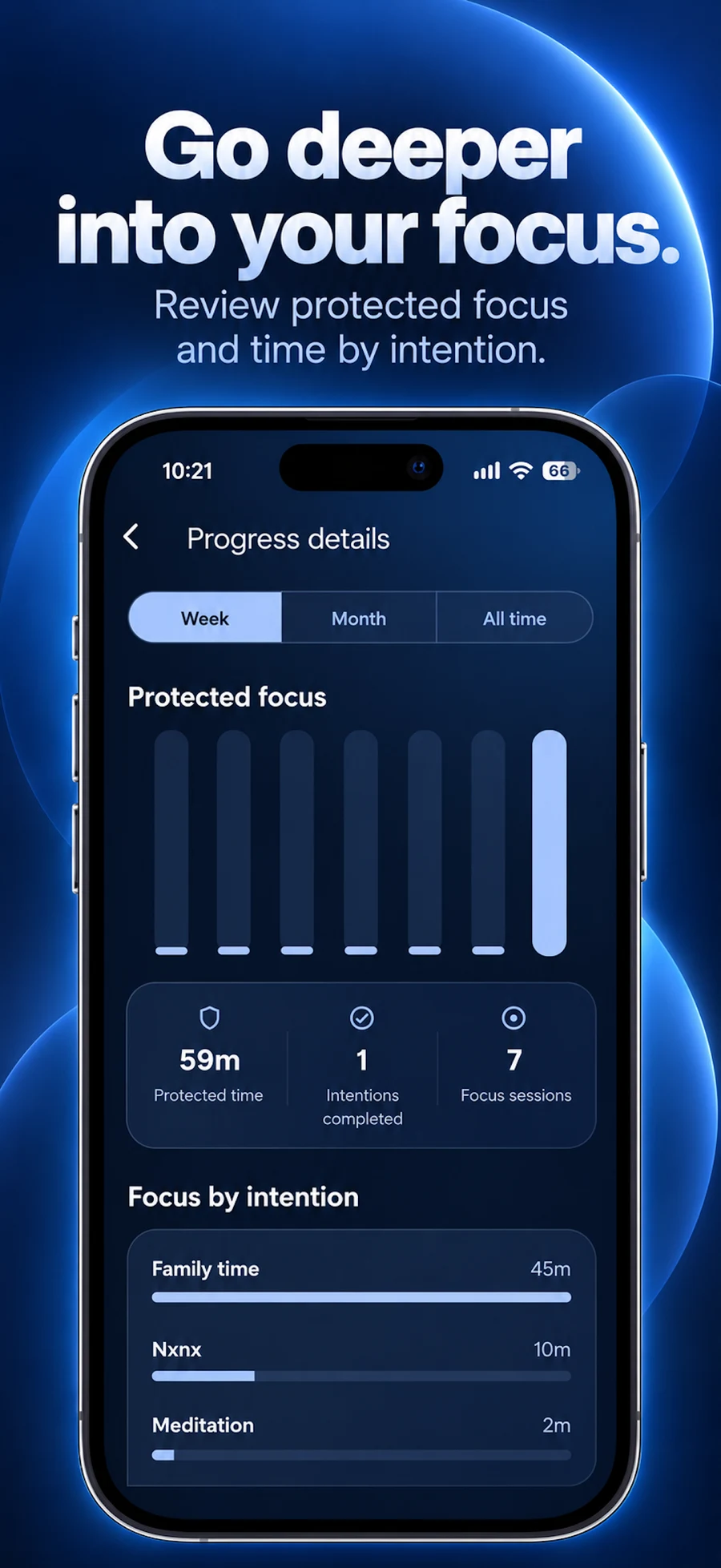
Focnera progress details showing protected time by intention
MORE PRESENCE

Be here.
Really here.

Make time for conversations, a good book, a walk, or simply doing nothing.

A SMALL PRACTICE. A QUIETER START.

Before the scroll,
choose a peaceful day.

Your first moments don’t have to belong to your phone. Try a morning with a little less input and a little more intention.

A NOTE TO YOURSELF
“Today is going to be my peaceful day.”
A pen. A piece of paper. A moment for you.
  1. 01

    Let the morning belong to you.

    When you wake up, leave your phone where it is. Before messages and feeds pull your attention elsewhere, give yourself a little space. Make your bed nice and neat. Go to the bathroom, wash up, and move through those first moments without a screen.

  2. 02

    Put your intention on paper.

    Take a pen and a piece of paper. Write, “Today is going to be my peaceful day.” Even when you know the words by heart, take the time to write them again. Let your hand follow the words you are thinking, one word at a time.

  3. 03

    Read it. Then begin.

    Read your sentence slowly, and read it again if you like. Give the words your attention before giving it to the rest of the world. This is a small daily practice: a moment to choose how you want to begin, rather than starting with an automatic scroll.

Keep that intention close. When you’re ready to use your phone, Focnera can help you set aside distracting apps and protect the time you choose for yourself.

Make space for your morning
PRACTICAL GUIDES

Make your next
focused moment easier.

Simple setup help and routines worth trying.

Explore all focus guides →
A LITTLE MORE CLARITY

Good questions.
Simple answers.

Everything else you might want to know.

Contact support
How does the 7-day Focus Event work?

The 7-Day Focus Reset challenges you to complete seven focus sessions within your seven-day window. Multiple sessions can count on the same day; sessions ended early do not count. Track completed sessions, protected minutes, and intentions marked done.

Can I schedule app blocking automatically?

Yes. Create a recurring schedule with selected apps, days of the week, and start and end times. Focnera blocks those apps automatically during each window. You can pause the current window, but any other active schedule or focus session continues protecting its selected apps.

What is Focnera?

Focnera is a private screen time control app and focus timer available on iPhone, iPad, and Android. Choose distracting apps, set a duration, and create a little room for what matters.

Does Focnera require an account?

No. There is no registration, login, or cloud account. Open the app, grant the permissions it needs, and start focusing.

Does it work without an internet connection?

Yes. Core focus sessions and app blocking work locally on your device, so you can focus offline.

What happens when a focus session ends?

Focnera automatically restores access to the apps selected for that session when the timer expires.

Can I stop a session early?

Yes. A deliberate confirmation step lets you end an active session while helping you avoid an impulsive exit.

Where is my data stored?

Your app selections, preferences, focus history, and session state stay locally on your device. Focnera has no remote database, cloud sync, behavioral analytics, or advertising trackers, and does not sell your personal information.

Does Focnera collect analytics?

No. Focnera does not include behavioral analytics or advertising trackers. Your focus history is available locally on your device.

Which devices are supported?

Focnera is available on the App Store for iPhone and iPad, and on Google Play for Android. Check each store listing for current device and system requirements.

Can I choose my own focus duration?

Yes. Pick a suggested duration or create a custom session that fits your day, from a quick study sprint to time for deeper work.

Which languages can I use?

Focnera supports English, Hindi, Spanish, German, French, Brazilian Portuguese, and Japanese.
FIND STILLNESS. PROTECT YOUR FOCUS.

Less scrolling.
More living.

Choose what to block. Decide how long.
Let Focnera protect the time you set aside.

Download on the App StoreGet it on Google Play
Free to start. No account required.